Keyboard & Mouse Guide: A Simple Guide for Gamers
A keyboard and mouse are two of the most important tools for gaming, especially on a PC. They control how you move, aim, and interact with the game. Choosing the right keyboard and mouse can improve your performance, comfort, and overall gaming experience.
Many gamers think they need very expensive gear to play well. But the truth is, you only need the right setup that fits your needs and feels comfortable.
In this Gaming Monitor Buying Guide, we will explain everything about keyboards and mice in simple and easy language so you can make the best choice.
Why Keyboard and Mouse Matter in Gaming
Your keyboard and mouse are your main control tools. Every movement, action, and reaction depends on them.
A good keyboard and mouse help you:
- React faster
- Aim more accurately
- Play comfortably for long hours
- Improve overall gameplay
Even small improvements in your setup can make a big difference.
Types of Gaming Keyboards
There are different types of keyboards available. Each type has its own benefits.
Membrane Keyboard
Membrane keyboards are simple and affordable.
Features:
- Soft key press
- Quiet typing
- Budget-friendly
They are good for beginners but may not be very fast for competitive gaming.
Mechanical Keyboard
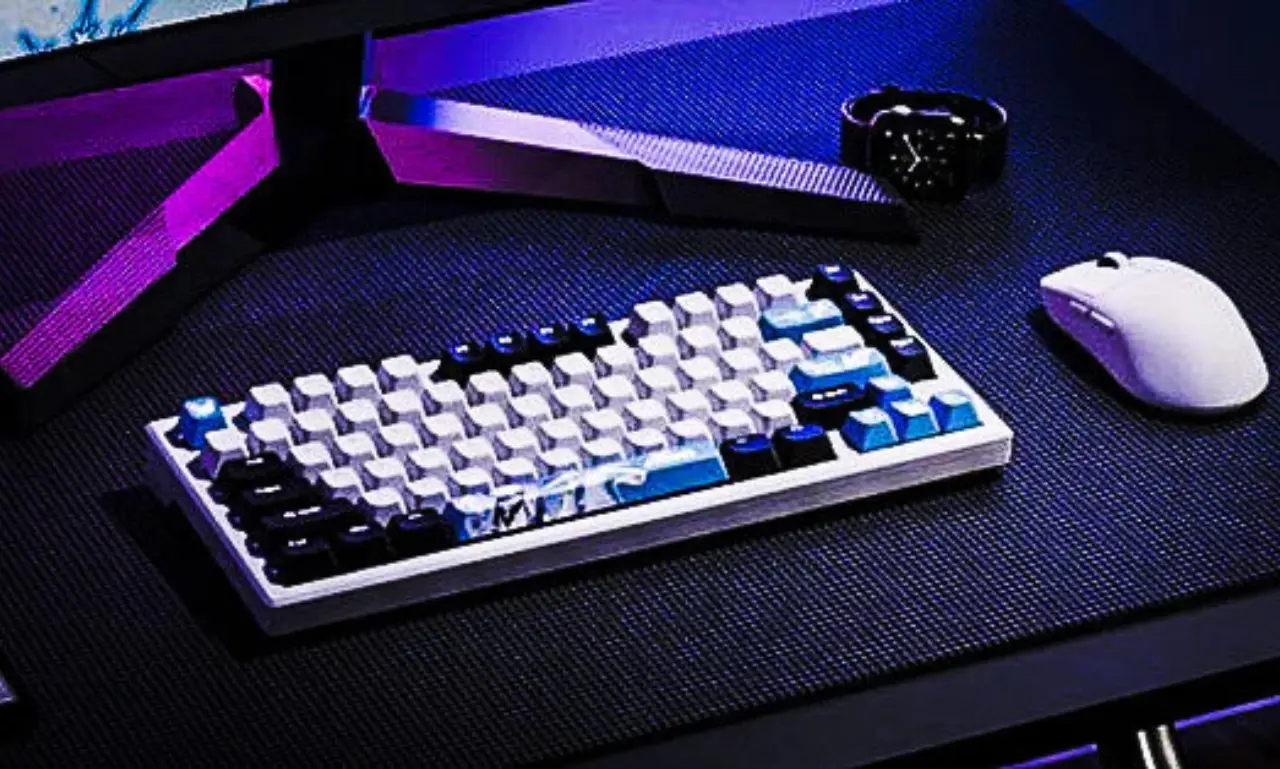
Mechanical keyboards are popular among gamers.
Features:
- Fast response
- Strong and durable
- Better key feedback
They feel more precise and are great for gaming, but they can be more expensive.
Compact Keyboard (60% or TKL)
These keyboards are smaller and save space.
Features:
- Easy to move
- More space for mouse movement
- Clean setup
They are great for gamers who prefer a simple desk setup.
Choosing the Right Keyboard
When selecting a keyboard, consider these points:
Comfort
Make sure the keyboard feels comfortable for your hands. You will use it for long sessions.
Key Response
Faster response helps in competitive games. Mechanical keyboards are usually better for this.
Build Quality
A strong keyboard lasts longer and performs better.
Budget
Choose a keyboard that fits your budget without sacrificing basic quality.
Types of Gaming Mouse
The mouse is very important for aiming and movement. There are different types available.
Wired Mouse
Wired mice are connected with a cable.
Features:
- Stable connection
- No delay
- Affordable
They are reliable and widely used by gamers.
Wireless Mouse
Wireless mice do not use cables.
Features:
- Clean setup
- Easy movement
- Modern design
Some modern wireless mice are very fast and reliable.
Lightweight Mouse
Lightweight mice are designed for fast movement.
Features:
- Easy to move
- Better control
- Ideal for competitive gaming
They are great for players who need quick reactions.
Choosing the Right Mouse
Here are important factors to consider.
DPI (Sensitivity)
DPI controls how fast the cursor moves.
- Low DPI → More control
- High DPI → Faster movement
Most gaming mice allow you to adjust DPI.
Grip Style
Different players hold the mouse in different ways:
- Palm grip
- Claw grip
- Fingertip grip
Choose a mouse that fits your grip style comfortably.
Size and Shape
A mouse should fit your hand size. A comfortable grip improves control and reduces fatigue.
Buttons
Some mice have extra buttons for shortcuts. These can be useful in games.
Keyboard and Mouse Combo Setup
A good combination of keyboard and mouse improves performance.
For example:
- Fast keyboard + lightweight mouse = better reaction
- Comfortable keyboard + accurate mouse = smoother gameplay
Your setup should feel natural and easy to use.
Importance of Mouse Pad
Many players ignore the mouse pad, but it is important.
A good mouse pad provides:
- Smooth movement
- Better control
- Consistent tracking
It also protects your mouse and desk.
Budget vs Expensive Gear
You do not need very expensive equipment to play well.
Budget Setup
- Simple keyboard
- Basic gaming mouse
- Standard mouse pad
Mid-Range Setup
- Mechanical keyboard
- Adjustable DPI mouse
- Quality mouse pad
High-End Setup
- Premium mechanical keyboard
- Lightweight wireless mouse
- Large gaming mouse pad
Choose based on your needs and budget.
Tips to Improve Your Setup
Here are some simple tips:
- Keep your desk clean
- Adjust keyboard position for comfort
- Use proper wrist position
- Test different sensitivity settings
Small changes can improve your performance.
Common Mistakes to Avoid
Avoid these mistakes:
- Buying very cheap low-quality gear
- Ignoring comfort
- Choosing style over performance
- Not adjusting settings
Focus on what works best for you.
How Keyboard and Mouse Improve Gameplay
A good setup helps you:
- React faster
- Aim better
- Move smoothly
- Stay comfortable during long sessions
These improvements help you play better and enjoy the game more.
Conclusion
Choosing the right keyboard and mouse is an important step for every gamer. You do not need expensive equipment, but you do need the right tools that match your style and comfort.
Focus on performance, comfort, and reliability. Start with a simple setup and upgrade as needed.
Gaming is about skill, practice, and enjoyment. The right keyboard and mouse simply help you perform at your best.
FAQs
1. What is better for gaming, mechanical or membrane keyboard?
Mechanical keyboards are better for gaming because they are faster and more responsive.
2. Is a wired mouse better than a wireless mouse?
Wired mice are more stable, but modern wireless mice are also very reliable.
3. What DPI is best for gaming?
It depends on your style, but many gamers prefer medium DPI for better control.
4. Do I need a gaming keyboard to play games?
No, but a good keyboard can improve comfort and performance.
5. Is a mouse pad really important?
Yes, a good mouse pad improves control, accuracy, and overall gameplay.